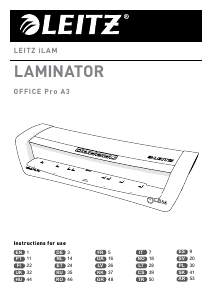
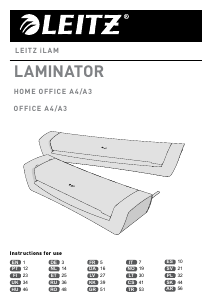
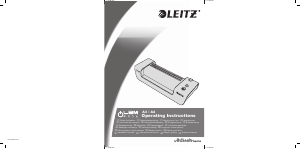
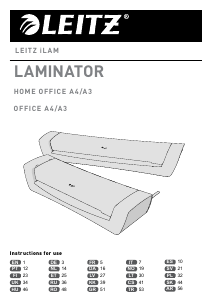
Vadovas Leitz iLAM Office A3 Laminavimo įtaisas

Reikia vadovo savo Leitz iLAM Office A3 Laminavimo įtaisas? Žemiau galite nemokamai peržiūrėti ir atsisiųsti PDF vadovą lietuvių kalba. Šiuo metu šis produktas turi 0 dažniausiai užduodamus klausimus, 0 komentarų ir turi 1 balsą, kurių vidutinis produkto įvertinimas yra 0/100. Jei tai ne tas vadovas, kurio norite, susisiekite su mumis.

Jūsų gaminys sugedęs, o vadove nėra jokio sprendimo? Eikite į Repair Café ir gaukite nemokamas remonto paslaugas.

Vadovas

Loading…
1
EN
Introduction
This Leitz product is intended to be used for
laminating paper or similar materials. The
product should only be used in household or

shops. The product should not be used for
commercial or industrial purposes, in
locations with the presence of a corrosive or
explosive atmosphere or for medical
purposes. The product may only be used
according to the instructions as described in
this manual. All use other than described in
this manual is seen as unintended use.
For your safety
WARNING! Read all safety warnings
and all instructions.
 Please take the time and read the general

safety instructions in a separate booklet.
This booklet is included.
 Always ensure good aeration while
laminating (e. g. open a window).
 Always unplug the device when not in use.
 Do not place anything on top of the device
and do not insert anything into the venting
slots.
 Never laminate with only one side of a
laminating pouch.
 Never attempt to pull out the pouch before

 Always unplug and let the device cool
down before cleaning, moving or storing it.
When carrying the laminator, always hold it
by the recessed grips on both sides.
Setting up and switching on the
laminator (
and
)
 Set the laminator up on a stable surface
(e.g. table) close to a mains outlet
.
Ensure there is sufcient space behind the
unit so the laminated item is not blocked
and can easily be removed.
 Connect mains cord with mains socket.
 Put the ON/OFF switch in the ON
position
.
 Put the temperature switch in the “I”
position (80 mic) for pouches rated 75-100
µm. Put the temperature switch in the “II”
position (125 mic) for pouches rated 125
µm. Put the temperature switch in the “0”
position (cold) for cold seal pouches.
Inserting the document into the
pouch
 Insert the document into the laminating
pouch. Align it to the sealed edge as much
as possible and maintain even margins left
and right.
Pouches that are too large can be trimmed
to size after lamination.
Laminating
4
 When the POWER/READY LED indicator
lights green, insert the pouch with the

The laminated document automatically
exits at the output side.
Letting the laminated document
cool down
5
 Remove the laminated document and leave

down.
 When you have no further documents to
laminate, switch off the laminator.
Clearing a jammed pouch
6
Jamming can occur when laminating
unsuitable materials.
CAUTION: To prevent any damages to the
laminator, the pouch must be removed before
switching off the unit.
 Move the release lever to the right and pull
out the pouch immediately.
 Clean the rollers after any pouch jam as
described in section “Maintenance and
care”.
Atsisiųsti vadovą lietuvių kalba (PDF, 1.05 MB)
(Tausokite gamtą ir spausdinkite šį vadovą tik tada, kai tai tikrai būtina)

Loading…

Įvertinimas

Praneškite mums, ką manote apie Leitz iLAM Office A3 Laminavimo įtaisas, pateikdami produkto įvertinimą. Norite pasidalyti savo patirtimi apie šį produktą arba užduoti klausimą? Palikite komentarą puslapio apačioje.
Ar esate patenkinti Leitz iLAM Office A3 Laminavimo įtaisas?
Taip Ne
0%
100%
1 balsas

Prisijunkite prie pokalbio apie šį produktą

Čia galite pasidalinti savo nuomone apie Leitz iLAM Office A3 Laminavimo įtaisas. Jei turite klausimų, pirmiausia atidžiai perskaitykite vadovą. Užklausą dėl vadovo galite pateikti naudodami mūsų kontaktinę formą.

Daugiau apie šį vadovą

Suprantame, kad puiku turėti popierinį savo Leitz iLAM Office A3 Laminavimo įtaisas vadovą. Visada galite atsisiųsti vadovą iš mūsų svetainės ir atsispausdinti patys. Jei norite turėti originalų vadovą, rekomenduojame susisiekti su Leitz. Jie gali pateikti originalų vadovą. Ar ieškote savo Leitz iLAM Office A3 Laminavimo įtaisas vadovo kita kalba? Pasirinkite pageidaujamą kalbą mūsų pagrindiniame puslapyje ir ieškokite modelio numerio, kad pamatytumėte, ar jį turime.

Specifikacijos

Prekės ženklas Leitz
Modelis iLAM Office A3
Kategorija Laminavimo įtaisai
Failo tipas PDF
Failo dydis 1.05 MB

Visi Leitz Laminavimo įtaisai vadovai
Daugiau Laminavimo įtaisai vadovų
Vadovas Leitz iLAM Office A3 Laminavimo įtaisas

Susiję produktai

Susijusios kategorijos

×
Download