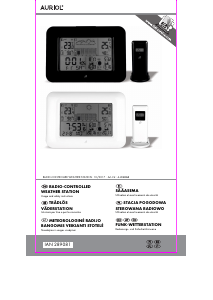
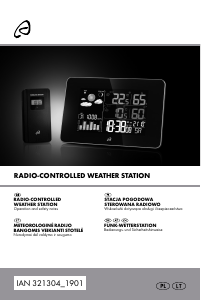
Vadovas Auriol IAN 289081 Meteorologijos stotis

Reikia vadovo savo Auriol IAN 289081 Meteorologijos stotis? Žemiau galite nemokamai peržiūrėti ir atsisiųsti PDF vadovą lietuvių kalba. Šiuo metu šis produktas turi 6 dažniausiai užduodamus klausimus, 5 komentarų ir turi 1 balsą, kurių vidutinis produkto įvertinimas yra 100/100. Jei tai ne tas vadovas, kurio norite, susisiekite su mumis.

Jūsų gaminys sugedęs, o vadove nėra jokio sprendimo? Eikite į Repair Café ir gaukite nemokamas remonto paslaugas.

Vadovas

Loading…
-
5
-
Mounting the outdoor sensor
Two different mounting options are possible with the included sensor mount 42. The sensor can be placed on a flat
surface or mounted on a wall or ceiling.
Illustration A shows the three indentations that are on each side of the sensor. The sensor can easily be clipped into the
mount using these indentations.
Illustration B is a side view, which shows how the mount is attached behind the sensor.
Illustration C shows a front view of the sensor with the mount used as a ceiling mount.
Illustration D shows a front view of the sensor with the mount used as a stand.
Illustration E shows the controls and the battery compartment on the backside of the sensor.
Please note: Always hang or stand the sensor upright.
Setup
Remove the protective film from the weather station and the outdoor sensor. Open the battery compartment of the
outdoor sensor 40 and insert the included batteries in the correct polarity. The LED indicator 36 will briefly light up and
the display will show the temperature. Close the battery compartment.
Open the battery compartment of the weather station 34 and insert the included batteries in the correct polarity. Close
the battery compartment. The weather symbol 1 blinks and the weather station receives the signal from the outdoor
sensor. This process may take several minutes to complete. If reception is successful, the selected channel 22 and the
current outdoor temperature 24 will appear. After successful reception of the signal for the outdoor sensor, the reception
of the DCF77 time signal will begin and the radio control indicator 18 will blink on the display next to the time. All
buttons except the SNOOZE / LIGHT button 12 are disabled during the reception process. If reception fails after 10
minutes, please set the time manually. The weather station will reattempt reception at 04:00 and 05:00 and, if reception
is successful, will correct the set time.
Note: Please do not move the weather station or the sensor during the reception process.
If the reception attempt is successful, the radio control indicator 18 will appear permanently on the display and the
correct time, date, day of the week and the times of sunrise, sunset, moonrise and moonset will be set automatically. DST
will appear on the display next to the radio control indicator 18 during daylight saving time.
Time zone adjustment
If you are in a country, in which the clock displays the wrong time even though it can receive the time signal, please use
the time zone adjustment to use your weather station in a time zone other than the standard time zone (UTC+1 = Central
European Time). Set the difference in hours (- 01 for example) to the desired time zone.
In normal time display mode, press and hold the MODE button 15 for 3 seconds. The time zone will blink and can be set
by pressing the -/ -button 11 or the +/12/24 -button 14. Press the MODE-button 15, to confirm your setting.
Restart radio reception after changing this setting. Your weather station receives the DCF77 time signal but will show the
adjusted time (1 hour less for example).
Note: Always hang or place the sensor in an upright orientation.
Reception problems
The DCF77 radio signal is transmitted from a location near Frankfurt am Main and can be received within a radius of
approximately 1500 km around Frankfurt am Main. However, there are some obstacles and sources of interference,
which may substantially hinder reception. If your weather station does not correctly receive the DCF77 radio signal,
please hang or place the weather station in a different location at your site. Please note that devices such as computers,
telephones, radios and televisions may cause electromagnetic radiation which can interfere with the DCF77 signal
reception. Other possible detriments to reception are: strong building insulation (metal building materials), nearby
mountains or atmospheric interference. It may also be necessary to replace the batteries.
Restarting radio signal reception
Manually restart the radio signal reception by pressing and holding the -/ -button 11 for 3 seconds.
Light
Briefly activate the backlight by pressing the SNOOZE/LIGHT-button 12.
12/24-hour time format
Select the 12- or 24 hour time format by pressing the +/12/24 -button 14. AM will appear on the display in the
morning, PM in the afternoon if the 12-hour time format is selected.
Temperature unit
Select the temperature unit Celsius (°C) or Fahrenheit (°F) by pressing the °C/°F+ -button 28.
Speed setting
Press and hold buttons to use the speed setting feature when setting numerical values.
Insert batteries into the outdoor sensor 40 first and then insert batteries into the weather
station 34.
Atsisiųsti vadovą lietuvių kalba (PDF, 2.11 MB)
(Tausokite gamtą ir spausdinkite šį vadovą tik tada, kai tai tikrai būtina)

Loading…

Įvertinimas

Praneškite mums, ką manote apie Auriol IAN 289081 Meteorologijos stotis, pateikdami produkto įvertinimą. Norite pasidalyti savo patirtimi apie šį produktą arba užduoti klausimą? Palikite komentarą puslapio apačioje.
Ar esate patenkinti Auriol IAN 289081 Meteorologijos stotis?
Taip Ne
100%
0%
1 balsas

Prisijunkite prie pokalbio apie šį produktą

Čia galite pasidalinti savo nuomone apie Auriol IAN 289081 Meteorologijos stotis. Jei turite klausimų, pirmiausia atidžiai perskaitykite vadovą. Užklausą dėl vadovo galite pateikti naudodami mūsų kontaktinę formą.

Pascale Galman-Später 12-01-2020
Ekrane nerodoma lauko temperatūra, o lauke mirksi jutiklis. Ką aš galiu padaryti?

atsakyti | Tai buvo naudinga (0) (Išvertė Google)
Jose Miguel. 06-03-2020
Savo gyvenamajame mieste (Torrelavega) (Kantabrija) įsigijau oro stotį Lidl. Negaliu suplanuoti vietos netoli savo gyvenamosios vietos. Dėl šios priežasties orų prognozės niekada nesutampa. Turiu pasakyti, kad visos kitos funkcijos veikia tinkamai. Būčiau dėkingas už informaciją, kaip ištaisyti vietos gedimą. Ačiū iš anksto. PIRKTA STOTIS YRA AURIOL Art.-Nr.:4-LD5190. IAN 313320_1904

atsakyti | Tai buvo naudinga (0) (Išvertė Google)
Bedřich 22-04-2020
Būna, kad jis rodo tikrai blogus dalykus, įskaitant laiką

atsakyti | Tai buvo naudinga (0) (Išvertė Google)
Marie-Laure CLERC 03-06-2020
nuolatinis apšvietimas nebeveikia

atsakyti | Tai buvo naudinga (0) (Išvertė Google)
Raymond 07-06-2020
Geras produktas daro tai, kas sakoma gerai, ačiū Auriol.

atsakyti | Tai buvo naudinga (0) (Išvertė Google)

Daugiau apie šį vadovą

Suprantame, kad puiku turėti popierinį savo Auriol IAN 289081 Meteorologijos stotis vadovą. Visada galite atsisiųsti vadovą iš mūsų svetainės ir atsispausdinti patys. Jei norite turėti originalų vadovą, rekomenduojame susisiekti su Auriol. Jie gali pateikti originalų vadovą. Ar ieškote savo Auriol IAN 289081 Meteorologijos stotis vadovo kita kalba? Pasirinkite pageidaujamą kalbą mūsų pagrindiniame puslapyje ir ieškokite modelio numerio, kad pamatytumėte, ar jį turime.

Specifikacijos

Prekės ženklas Auriol
Modelis IAN 289081
Kategorija Meteorologijos stotys
Failo tipas PDF
Failo dydis 2.11 MB

Visi Auriol Meteorologijos stotys vadovai
Daugiau Meteorologijos stotys vadovų

Dažnai užduodami klausimai apie Auriol IAN 289081 Meteorologijos stotis

Mūsų palaikymo komanda ieško naudingos informacijos apie produktą ir atsakymų į dažniausiai užduodamus klausimus. Jei dažniausiai užduodamuose klausimuose pastebėjote netikslumų, praneškite mums naudodamiesi mūsų kontaktų forma.

Mano meteorologinė stotis numatė, kad lietus, bet taip neatsitiko. Kodėl taip? Patvirtinta

Meteorologinės stoties prognozė pagrįsta oro slėgiu. Apskritai žemas slėgis reiškia blogą orą, o aukštas – gerą orą. Gali būti, kad oro sąlygos vystysis kitaip, nei prognozuoja oro slėgis.

Tai buvo naudinga (1469) Skaityti daugiau

Koks yra mano Auriol gaminio modelio numeris? Patvirtinta

Nors kai kurie Auriol gaminiai turi alternatyvų modelio numerį, visi jie turi IAN numerį, pagal kurį galima identifikuoti gaminį.

Tai buvo naudinga (700) Skaityti daugiau

Kurioje vietoje geriausia oro stotis ir jos jutikliai? Patvirtinta

Pati orų stotis yra viduje ir turi būti atokiau nuo šilumos šaltinių, tokių kaip virtuvė, langai ar elektros prietaisai. Atskiras lauko temperatūros jutiklis turi būti pastatytas šešėlyje ir bent 1,25 m virš žemės. Lietaus jutiklį reikia pastatyti atviroje vietoje, kur jis visada galėtų surinkti lietų. Vėjo jutiklį taip pat reikia pastatyti atviroje vietoje, kur yra kliūčių, turinčių įtakos vėjui.

Tai buvo naudinga (395) Skaityti daugiau

Mano meteorologinėje stotyje yra lietaus matuoklis, ar jis taip pat gali išmatuoti iškritusį sniegą? Patvirtinta

Kai kuriuose lietaus matuokliuose yra kaitinimo elementas, kuris tirpdo sniegą ir leidžia jį išmatuoti. Be kaitinimo elemento lietaus matuoklis užsikimš ir nebus galima atlikti matavimų.

Tai buvo naudinga (282) Skaityti daugiau

Ar galiu ilgą laiką palikti keičiamą bateriją įrenginyje? Patvirtinta

Keičiamos baterijos gali likti įrenginyje ilgą laiką, jei prietaisas yra naudojamas. Kai prietaisas laikomas ilgą laiką, patartina išimti baterijas, kad išvengtumėte oksidacijos.

Tai buvo naudinga (282) Skaityti daugiau

Mano įrenginio baterija oksiduota, ar vis tiek galiu saugiai ją naudoti? Patvirtinta

Taip, įrenginį vis tiek galima saugiai naudoti. Pirmiausia išimkite oksiduotą akumuliatorių. Niekada tai nenaudokite plikomis rankomis. Tada nuvalykite akumuliatoriaus skyrių vatos tamponu, suvilgytu acte arba citrinos sultimis. Leiskite jam išdžiūti ir įdėkite naujas baterijas.

Tai buvo naudinga (281) Skaityti daugiau
Vadovas Auriol IAN 289081 Meteorologijos stotis

Susiję produktai

Susijusios kategorijos

×
Download